Most of what a working survey actually generates now lives on a screen before it ever reaches a laptop back at the office — RdSAP room-by-room data entered directly into a collection app, photographs of a stained ceiling or a suspect DPC logged against the right elevation, damp meter and moisture readings typed straight into the record rather than scribbled on a pad and transcribed later. That workflow only holds together if the device doing it survives the actual conditions it’s used in: a loft at 40°C with insulation dust in the air, a van boot that’s below freezing overnight, a scaffold board with a phone-sized gap either side of it, and a screen that needs reading in full sun on a south-facing roof.
A consumer tablet does none of that reliably. The glass cracks on the second dropped-off-the-ladder incident, the screen washes out to nothing in direct sun, and touch input stops registering the moment a glove goes on. A genuinely rugged tablet is built around three things instead: an ingress rating that’s actually tested rather than implied by a case, a drop and temperature standard that covers the specific abuse a site visit hands out, and a screen and touch layer that stays usable outdoors and gloved. None of that shows up as a headline spec — it only shows up the first time the thing gets dropped or rained on.
What follows is eight tablets that get those specifics right for site and survey work, from a fully rugged Windows unit built for daily field use through to a genuinely cheap Android tablet that does the essentials without the premium price. Whichever ends up in the van, it’s worth pairing with a proper laser measure and damp meter — both reviewed separately — since the tablet is only as useful as the readings actually going into it.
The one I’d buy

Samsung Galaxy Tab Active5
Samsung pairs a genuine IP68 and MIL-STD-810H rating with an 8″ WUXGA display bright enough to stay readable on a roof in July, a user-replaceable battery so a flat cell doesn’t mean a dead tablet for the rest of the day, and an included S Pen rated to the same water resistance as the tablet itself — useful for a quick sketch of a crack pattern or a signature on a report screen. It’s the tablet that comes up most consistently in field-service and utility-sector recommendations for exactly this kind of daily outdoor use, and owner feedback is consistent that the touchscreen keeps working properly in light rain and with a standard work glove, which is where cheaper Android rivals tend to fall down.
Typically £350–£430
Check price on AmazonHow I judge a rugged tablet
The rating is IP68 and MIL-STD-810H together, not just one of them. IP68 covers dust ingress and submersion; MIL-STD-810H covers drops, vibration, and temperature extremes separately. A tablet with only the IP rating survives a puddle on a doorstep; it’s the drop-test standard on top of it that survives being set down too fast on a scaffold board or knocked off the edge of a loft hatch, which happens far more often than actual submersion ever does.
Screen readable in direct sun, and touch that still works gloved. A spec sheet brightness number in nits means little until it’s tested against a south-facing slate roof at midday. Worse, several rugged Android tablets advertise glove-mode touch that in practice needs a thin glove and a firm, deliberate tap — worth checking against owner feedback rather than the marketing copy before assuming it’ll register through a standard work glove.
Battery that survives a full day without a lunchtime top-up. A tablet running a data collection app, GPS, camera and screen brightness at outdoor levels drains considerably faster than the same device idling on a desk. The genuinely large-battery tablets here — several past 20,000mAh — solve this by brute force rather than efficiency, which is a reasonable trade when a socket isn’t always nearby.
Whether the actual software runs on it. RdSAP and EPC lodgement tools are split roughly down the middle between proper Android field apps and desktop software that only runs on Windows. It’s worth checking which camp whatever’s actually being used falls into before buying, since an Android tablet is no use at all for Windows-only survey software, and a Windows tablet is unnecessary weight and cost for an Android-native workflow.
Weight and one-handed use. A tablet is rarely the only thing in hand on site — a torch, a damp meter or a tape measure usually is too. The lighter 8″ tablets here are easier to operate one-handed from a kneeling or crouched position; the larger-screen options trade that away for legibility and battery capacity.
The comparison
| Model | OS | Battery | Typical price | Best for | |
|---|---|---|---|---|---|
| Samsung Galaxy Tab Active5 | Android 14 | 5,050mAh | ~£390 | Best overall | View |
| Panasonic Toughbook G2 | Windows 11 Pro | ~4,360mAh, hot-swap | ~£2,200 | Windows RdSAP software, toughest build | View |
| Samsung Galaxy Tab Active4 Pro | Android 13 | 7,600mAh, removable | ~£480 | Bigger screen, swappable battery | View |
| Blackview Active 8 Pro | Android 13 | 22,000mAh | ~£250 | Best battery-to-price | View |
| Ulefone Armor Pad 3 Pro | Android 13 | 33,280mAh | ~£260 | Longest runtime, built-in worklight | View |
| DOOGEE R10 | Android 13 | 10,800mAh | ~£165 | Good value, large screen | View |
| OUKITEL RT3 Pro | Android 14 | 5,150mAh | ~£185 | Compact, newer generation | View |
| OUKITEL RT3 | Android 12 | 5,150mAh | ~£130 | Cheapest overall | View |
The picks in detail
Samsung Galaxy Tab Active5
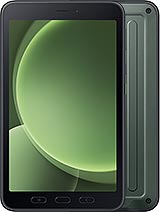
Best overall — genuine daily-use rugged spec without the enterprise price
Samsung pairs a genuine IP68 and MIL-STD-810H rating with an 8″ WUXGA display bright enough to stay readable on a roof in July, a user-replaceable battery so a flat cell doesn’t mean a dead tablet for the rest of the day, and an included S Pen rated to the same water resistance as the tablet itself. It’s the tablet that comes up most consistently in field-service and utility-sector recommendations for exactly this kind of daily outdoor use, and owner feedback is consistent that the touchscreen keeps working properly in light rain and with a standard work glove.
The 8″ screen is a compromise against the bigger-screen options further down this list — easier to hold and pocket, harder to read a dense RdSAP form on without zooming. Storage tops out lower than some rivals too, though for a data-entry and camera workflow rather than local video storage that rarely matters.
For
- Genuine IP68 + MIL-STD-810H, not a case-dependent claim
- User-replaceable battery and IP68-rated S Pen included
- 5G and Wi-Fi 6 for fast upload of photos and reports on site
Against
- 8″ screen is smaller than several rivals here
- Storage options are modest against the largest Android alternatives
Typically £350–£430
Check price on AmazonPanasonic Toughbook G2

Premium pick — fully rugged Windows tablet for desktop-only survey software
The G2 is built for the specific problem several rugged Android tablets can’t solve at all: RdSAP and EPC software that’s Windows-only rather than app-based. A 1,000-nit sunlight-readable 10.1″ display, IP65 and MIL-STD-810H rating, and a modular bridge battery that hot-swaps without powering the tablet down mid-survey put it in a different category to the Android tablets on this list, aimed squarely at daily fieldwork rather than occasional site visits.
The price reflects that — several times more than every other tablet here, and genuinely more than most domestic survey work needs. The case for it is specific: software that only runs on Windows, or daily heavy field use where the hot-swap battery and industrial-grade drop rating earn their cost back over a season rather than a single job.
For
- Runs Windows-only RdSAP and EPC desktop software directly
- Hot-swappable battery keeps the tablet running through a full day
- 1,000-nit display genuinely readable in direct sun
Against
- Considerably more expensive than every other tablet on this list
- Heavier and bulkier than the Android alternatives
Typically £1,800–£3,200 (configuration-dependent)
Check price on AmazonSamsung Galaxy Tab Active4 Pro
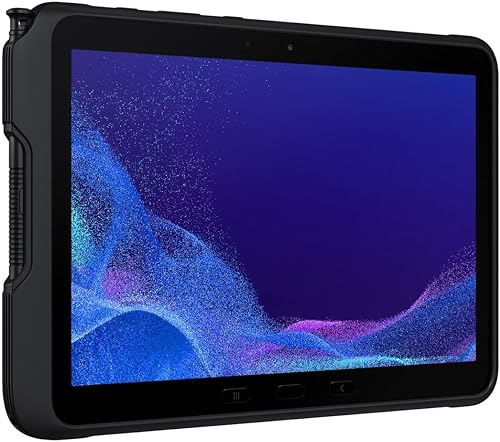
Bigger screen alternative — the previous-generation Active, still well supported
The Active4 Pro is the previous generation of the tablet at the top of this list, and still very much a going concern — a larger 10.1″ display for reading a dense RdSAP form without zooming, a bigger 7,600mAh removable battery, and the same IP68 and MIL-STD-810H rating. For anyone who finds the Active5’s 8″ screen too small for extended data entry, this is the straightforward trade-up in size within the same ecosystem.
It’s a larger, heavier tablet to carry and hold one-handed than the Active5, and being a generation older it’ll see software updates end sooner. Worth weighing against the newer model unless the bigger screen specifically is the deciding factor.
For
- Larger 10.1″ display for dense forms
- Bigger removable battery than the Active5
- Same IP68 + MIL-STD-810H rating, proven track record
Against
- Larger and heavier to hold one-handed on site
- Older platform, shorter remaining software support window
Typically £430–£560
Check price on AmazonBlackview Active 8 Pro
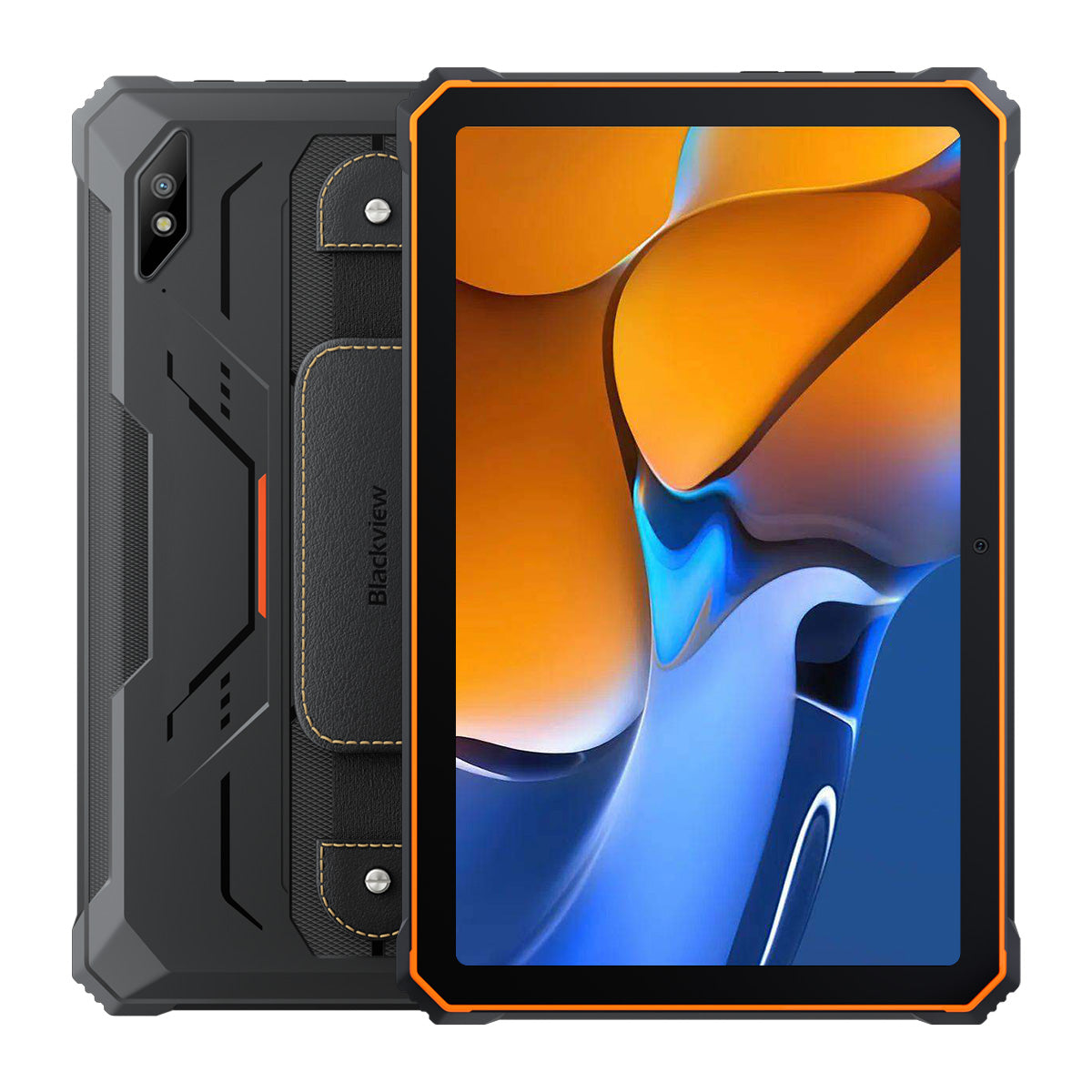
Best battery-to-price — a genuinely huge cell at less than a third of the Samsung’s price
The Active 8 Pro leads with a 22,000mAh battery in a 10.36″ body — large enough that a full week of survey work between charges is a realistic claim rather than a marketing one — alongside IP68/IP69K sealing, MIL-STD-810H certification and Gorilla Glass 5 over a sharp 2K display. Reverse-charging support means it can also top up a phone or a torch mid-survey, which is a genuinely useful extra given how much else in the van needs charging.
Software updates and long-term support are the trade-off against the Samsung tablets — Blackview’s update cadence is less predictable, and the Helio G99 chipset, while fine for a data-entry and camera workload, won’t match Samsung’s for longevity of app compatibility.
For
- 22,000mAh battery genuinely lasts multiple days
- Sharp 2K display and IP68/IP69K sealing at a fraction of Samsung pricing
- Reverse charging tops up a phone or torch on site
Against
- Less predictable long-term software support than Samsung
- Bulkier and heavier than the smaller 8″ tablets on this list
Typically £220–£290
Check price on AmazonUlefone Armor Pad 3 Pro
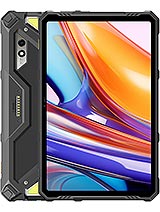
Longest runtime here, plus a built-in worklight for loft and cellar work
Ulefone goes further still on battery — a 33,280mAh cell rated to keep functioning down to -30°C, useful for anyone who leaves the tablet in an unheated van overnight through winter — and adds a genuinely site-relevant extra in a pair of built-in 1,100-lumen LED work lights, useful as backup illumination in a loft or cellar when a head torch alone isn’t quite enough. IP68/IP69K sealing and MIL-STD-810H certification cover the rest of the rugged spec.
All that battery and hardware adds real weight — this is the heaviest tablet on the list bar the Panasonic, and the built-in lights are a genuine extra rather than a replacement for a dedicated head torch. Worth it specifically for the runtime and the light; less so if neither feature is needed.
For
- 33,280mAh battery, the longest runtime on this list
- Built-in worklights genuinely useful in lofts and cellars
- Rated to operate down to -30°C for cold van storage
Against
- Heaviest Android tablet here by a clear margin
- UK pricing and stock less consistent than the Samsung or Blackview
Typically £230–£290
Check price on AmazonDOOGEE R10
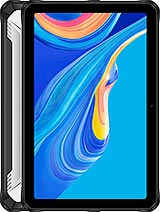
Good value, large screen — the sensible middle ground for occasional use
The R10 sits between the compact 8″ budget tablets and the larger battery-focused options — a 10.36″ FHD+ display, a genuinely large 10,800mAh battery, and the same IP68/IP69K and MIL-STD-810H certification as the pricier tablets on this list, at roughly a third of the Samsung Active5’s price. For occasional rather than daily fieldwork, it’s hard to find a better balance of screen size, battery and price.
The Helio G99 chipset and 8GB RAM handle a data-entry and camera workload comfortably enough, but this isn’t a tablet built for heavy multitasking or long-term brand support the way the Samsung options are — a sensible occasional-use tablet rather than a daily-driver replacement for one.
For
- Large 10.36″ display and 10,800mAh battery at a low price
- Full IP68/IP69K and MIL-STD-810H certification
- Good middle ground between the compact and huge-battery options
Against
- Less consistent long-term software support than Samsung
- UK Amazon pricing varies more than the branded alternatives
Typically £140–£190
Check price on AmazonOUKITEL RT3 Pro
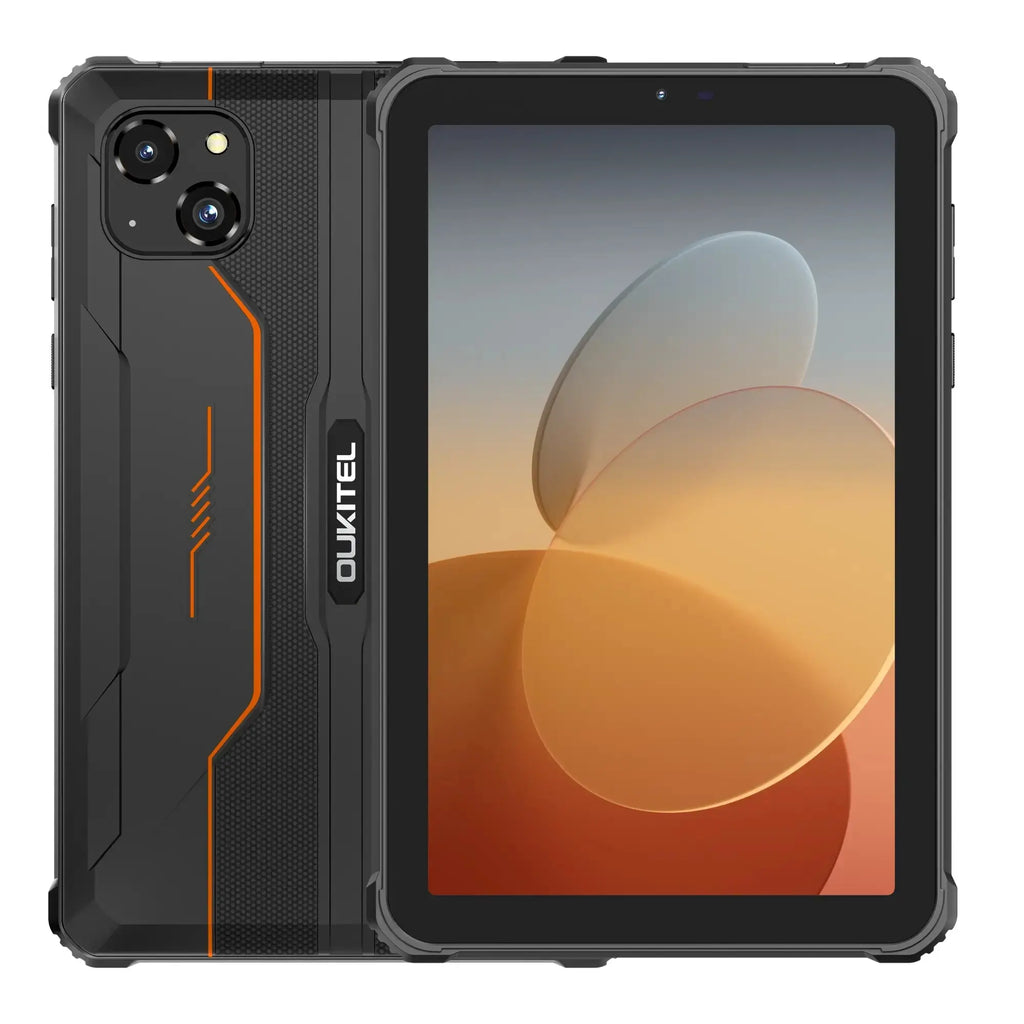
Compact newer generation — the RT3 upgraded, still pocketable
The RT3 Pro keeps the original RT3’s compact 8″ footprint — genuinely one-handed and pocketable in a way none of the 10.36″ tablets here are — while updating to Android 14, a faster Helio G81 chipset and up to 16GB of RAM. IP68/IP69K sealing and MIL-STD-810H certification carry over, along with an operating range down to -20°C.
The 8″ HD display is noticeably lower resolution than the larger tablets on this list, and the smaller screen makes a dense RdSAP form more of a squint than the 10″-plus options. For anyone who wants a genuinely compact tablet and doesn’t mind zooming, that trade is worth making; for extended data entry, it isn’t the best fit here.
For
- Genuinely compact and one-handed, unlike the 10″-plus tablets here
- Newer Android 14 platform with a meaningful chipset upgrade over the RT3
- Full IP68/IP69K and MIL-STD-810H rating
Against
- Lower-resolution 8″ HD display versus the larger tablets
- Smaller screen makes dense forms harder to read without zooming
Typically £150–£220
Check price on AmazonOUKITEL RT3
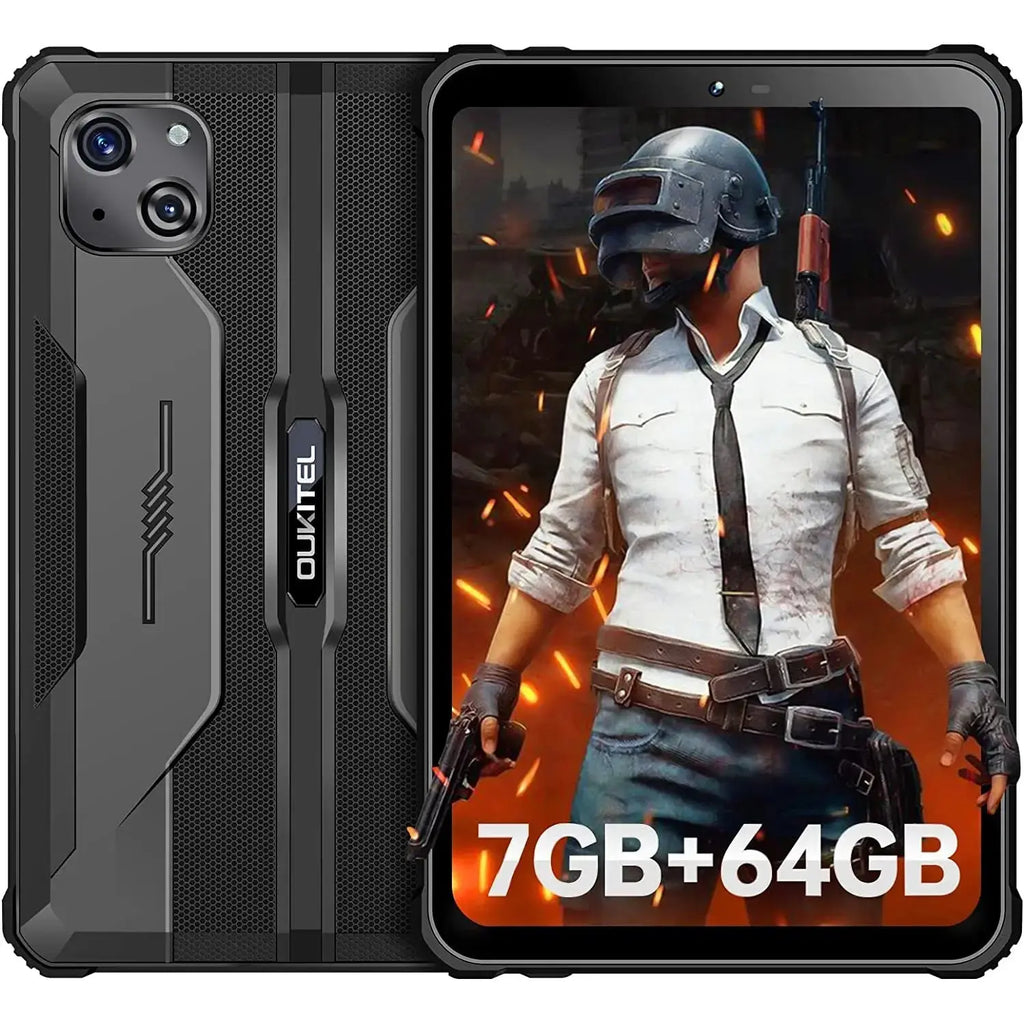
Cheapest overall — the basics done properly, nothing more
The original RT3 is a genuinely compact 8″ Android tablet with IP68 and MIL-STD-810H certification, a 5,150mAh battery, and reverse-charging OTG support, at the lowest price on this list by a clear margin. For a spare tablet, a backup device, or simply the cheapest way into a properly rated rugged tablet, it does the essentials without pretending to be anything more.
It’s running Android 12 on an older Helio P22 chipset with modest RAM, which shows in app-switching speed compared to the newer tablets here, and as the superseded model in Oukitel’s own lineup it’s worth comparing directly against the RT3 Pro before assuming the saving is worth the older hardware.
For
- Lowest price here with genuine IP68 + MIL-STD-810H certification
- Compact 8″ body, easy to hold one-handed
- Reverse-charging OTG support for topping up other devices
Against
- Older Android 12 platform and modest RAM
- Superseded by the RT3 Pro, worth comparing before buying
Typically £110–£170
Check price on AmazonWhat actually matters — and what doesn’t
IP69K on top of IP68 is situational, not universal. IP69K adds resistance to high-pressure, high-temperature jet washing — genuinely relevant on a construction site with a wash-down station, close to irrelevant for a domestic survey where the worst a tablet sees is drizzle and loft dust. Several tablets on this list carry it as standard regardless; it’s not a reason to pay more on its own.
RAM and storage headline numbers matter less than real-world app performance. A budget Android tablet advertising 16GB of RAM through memory-expansion tricks won’t multitask like a genuine 16GB device. For a data-entry and camera workload rather than heavy multitasking, 6–8GB of real RAM is comfortably enough on any of the Android tablets here.
Stylus support is a genuine convenience, not a gimmick. Being able to sketch a crack pattern, annotate a photo, or capture a signature directly on screen saves a step compared with typing a description instead. Not every tablet here includes one as standard — worth checking before assuming it’s in the box.
Screen size is a real trade-off, not a straightforward “bigger is better”. A 10.36″ tablet is easier to read a dense form on and harder to hold one-handed while also gripping a torch or damp meter. An 8″ tablet is the reverse. Neither is objectively correct — it depends on whether the tablet spends more time propped up for data entry or held one-handed while moving around a property.
5G is a nice-to-have, rarely a deciding factor. Uploading photos and lodging an EPC from site is faster over 5G, but a 4G connection or a phone’s Wi-Fi hotspot does the same job a little slower. Worth checking coverage in the areas actually being surveyed before treating 5G as essential.
Questions I get asked
Does a rugged tablet actually need MIL-STD-810H, or is a good case enough? A case helps, but it doesn’t change what’s inside — a consumer tablet’s internal mounting and connectors aren’t designed for repeated shock the way a MIL-STD-810H-tested device’s are. For occasional light use a well-cased consumer tablet is a reasonable compromise; for daily site use where drops are a when-not-if, the certified rating is the difference that actually shows up over a year.
Android or Windows for RdSAP and EPC software? It depends entirely on which specific software is being used — some RdSAP and EPC packages are proper Android field apps, others remain Windows desktop software with no mobile equivalent. Check the software’s own system requirements before buying the tablet, not after; it’s the single biggest factor in which category of device is even usable.
Will a rugged tablet’s camera hold up as evidence in a report? The better tablets here carry 16–50MP rear cameras that are perfectly adequate for documenting a defect or a damp stain at report resolution, but none of them match a dedicated camera or even a modern phone for genuinely low-light interior shots. For anything beyond straightforward daylight documentation, a phone camera alongside the tablet is still worth carrying.
How long should a rugged tablet actually last in daily use? Three to five years is a realistic expectation for the branded options here with proper software support; the smaller Android brands vary more, with update support sometimes stopping well before the hardware itself wears out. Buying one generation behind the newest release, as with the Active4 Pro here, is a reasonable way to get a longer remaining support window for less money.
Getting RdSAP data, damp readings and evidence photos into a proper record on site, rather than transcribed later from a paper pad, is routine on the EPC and building survey visits the practice carries out across East Sussex and the South East. Get in touch. And for the rest of what goes in the van, there are more field-kit guides.
Small print. This guide is general information, not a software compatibility check — always confirm a specific RdSAP, EPC or reporting package's system requirements against a tablet's operating system before buying. Ingress and drop ratings describe laboratory test conditions, not a guarantee against damage in every real-world scenario. Prices are indicative, move constantly and were checked at the time of writing; the linked page always shows the current price. As an Amazon Associate I earn from qualifying purchases.