A fair chunk of any given week in this job is spent on the road rather than in a house. Between an early RdSAP appointment in one village, a full building survey across town, and an afternoon retrofit assessment somewhere else entirely, the van covers real miles on roads that were never built for anything wider than a horse and cart — single-track lanes with passing places, farm gateways, and the sort of on-street parking in a Victorian terrace where wing mirrors get folded in as a matter of habit. None of that is dramatic driving, but it’s exactly the kind of driving where a low-speed dispute over who clipped what is common, and where there’s rarely an independent witness standing around to back up either account.
Then there’s the van itself, parked and unattended for most of the working day. A loft survey or a full building survey can easily run two or three hours, and for the whole of that time the van sits on the client’s drive or the nearest bit of kerb with a laser measure, a thermal camera and a bag of other kit in the back — exactly the sort of load that makes a work van a more attractive target than the family hatchback next to it. A dash cam with a genuine parking mode doesn’t stop somebody trying the door handle, but it does mean there’s footage afterwards instead of a shrug.
The insurance angle matters just as much and gets talked about less. A low-speed knock in a supermarket car park, a give-way dispute on a blind bend, a cyclist who appears from nowhere on a rural lane — these are exactly the incidents where two accounts disagree and a claim drags on for months without footage to settle it quickly. What follows is what I’d actually look for when buying a dash cam for a vehicle that works for a living rather than one that mostly sits on a driveway, and seven worth having.
The one I’d buy

Nextbase 422GW
Nextbase is the brand most UK insurers and garages already recognise, and the 422GW front-and-rear bundle covers the two things that actually matter for a van: a proper 1440p front image with genuine night vision, and a hardwired Intelligent Parking Mode that keeps recording, at low power, for as long as the van’s left standing. The Click&Go Pro magnetic mount means the camera itself comes off the windscreen in seconds if it ever needs to go in for evidence or come out of sight, and built-in GPS logs speed, location and time against every clip — useful for an insurance claim, and just as useful as a straightforward record of which address the van was actually parked outside and when.
Typically £130–£170
Check price on AmazonHow I judge a dash cam for a working vehicle
Genuine hardwired parking mode, not just power from the cigarette lighter. A dash cam plugged into a 12V socket stops recording the moment the ignition goes off, which is precisely when a work van parked outside a client’s house is most exposed. A hardwire kit taps the fuse box for a trickle of power and includes a low-voltage cut-off so it can’t flatten the battery — without one, parking mode is a spec-sheet feature that never actually switches on.
Night vision that resolves a number plate, not just brightens the picture. Plenty of budget cameras produce a washed-out, grainy image after dark that looks fine on a phone screen and is useless zoomed in. Sony STARVIS and STARVIS 2 sensors are the current benchmark for genuinely usable low-light footage, and worth checking for by name rather than trusting resolution alone.
GPS logging, because it’s evidence beyond the crash itself. A GPS overlay proves speed and location at the moment of an incident, which matters to an insurer weighing up a disputed claim. It’s also a quiet, incidental record of exactly where and when the van was on a given day — handy if a site visit is ever queried months later.
Storage and loop recording that won’t quietly fail. A dash cam that’s recording almost constantly wears through microSD cards faster than most other uses, and a corrupted card is worthless exactly when it’s needed. Higher-end models use more efficient HEVC/H.265 compression to fit more footage per gigabyte and are kinder to the card in the long run; check the manufacturer’s recommended card spec rather than assuming any microSD will do.
Channel count matched to what’s actually at risk. A front-only camera covers the driving itself; front-and-rear adds cover for rear-end shunts and reversing disputes, both common in van work; a third, cabin-facing channel adds a record of who was actually in the vehicle and when, which matters more for a commercial vehicle than a private car.
The comparison
| Model | Channels | Front resolution | Typical price | Best for | |
|---|---|---|---|---|---|
| Nextbase 422GW | Front + rear | 1440p | ~£150 | Best overall | View |
| BlackVue DR970X-2CH Plus | Front + rear | 4K | ~£340 | Best premium — remote cloud monitoring | View |
| VIOFO A229 Pro 2CH | Front + rear | 4K | ~£270 | Best image quality | View |
| Vantrue N4 Pro | Front + cabin + rear | 4K | ~£240 | Best 3-channel | View |
| Thinkware Q200 | Front + rear | 2K QHD | ~£190 | Best parking-mode protection | View |
| Garmin Dash Cam 67W | Front only | 1440p | ~£190 | Best compact single-channel | View |
| RedTiger F7NP | Front + rear | 4K | ~£90 | Best on a budget | View |
The picks in detail
Nextbase 422GW

Best overall — the one I’d buy, above
Nextbase is the brand most UK insurers and garages already recognise, and the 422GW front-and-rear bundle covers what actually matters for a van: a proper 1440p front image with genuine night vision, and a hardwired Intelligent Parking Mode that keeps recording, at low power, for as long as the van’s left standing. The Click&Go Pro magnetic mount lets the camera come off the windscreen in seconds, and built-in GPS logs speed, location and time against every clip.
For
- Genuinely hardwired Intelligent Parking Mode
- Click&Go Pro magnetic mount comes off in seconds
- GPS logging built in as standard
- Widely recognised by UK insurers
Against
- 1440p rather than 4K, though plate legibility is still solid
- Rear camera and hardwire kit sometimes sold as separate bundles — check the listing includes both
Typically £130–£170
Check price on AmazonBlackVue DR970X-2CH Plus
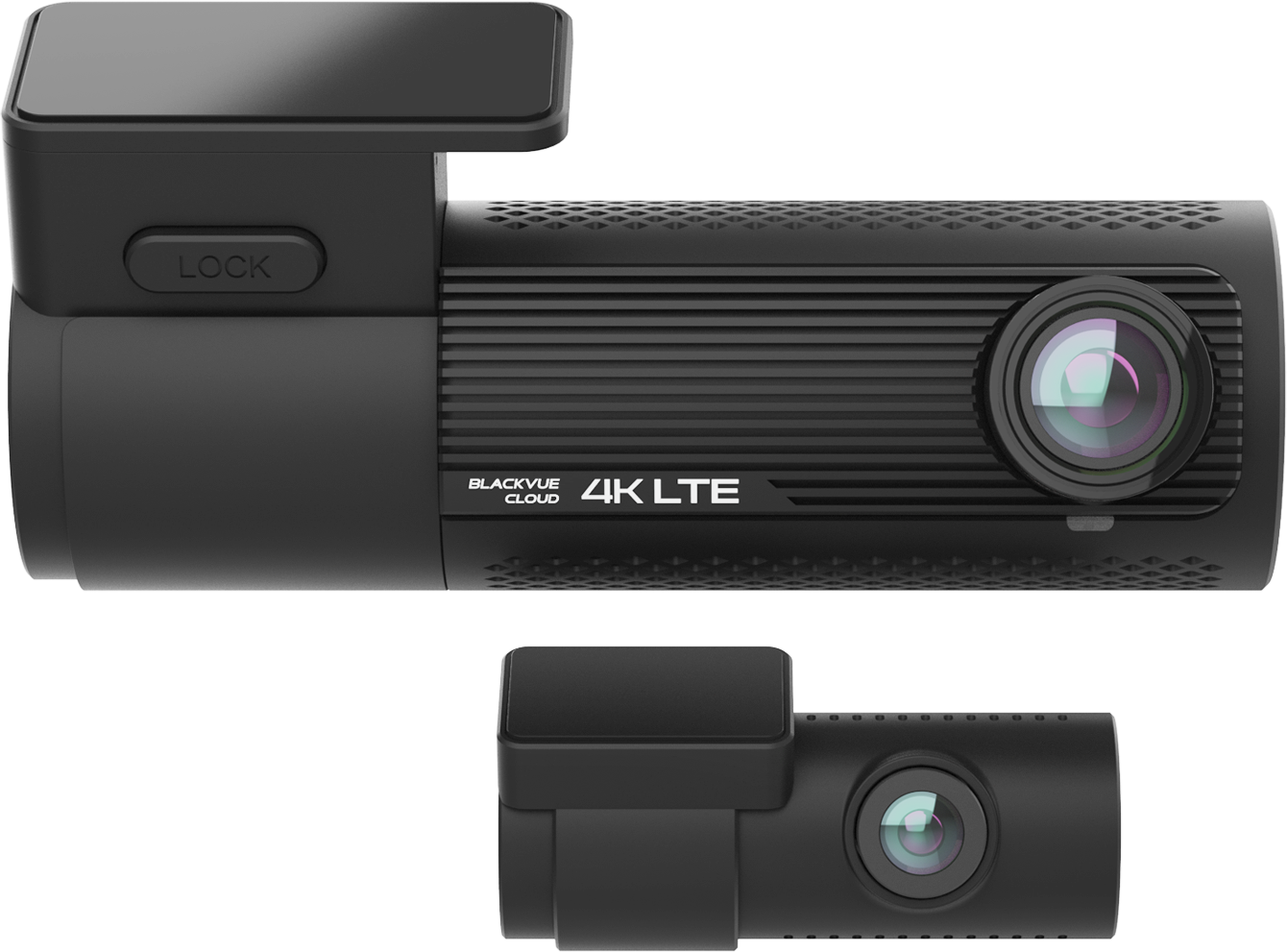
Best premium pick — check on the van without walking back to it
BlackVue’s DR970X-2CH Plus records genuine 4K front and full HD rear on a Sony STARVIS 2 sensor, but the feature that actually changes how you use it day to day is the cloud connectivity: live view and clip download from a phone, from wherever the van’s parked, over the optional LTE module. For a two-hour survey where the van’s sitting outside an unfamiliar address, being able to check in on it from the loft hatch rather than walking back out to look is worth the premium over a standard dash cam on its own.
For
- Genuine 4K front on a Sony STARVIS 2 sensor
- Cloud live-view and remote clip download over LTE
- Intelligent parking mode with motion and impact detection
Against
- Noticeably more expensive than the rest of this list
- Ongoing cloud/LTE data plan is a running cost on top of the unit
Typically £280–£380
Check price on AmazonVIOFO A229 Pro 2CH
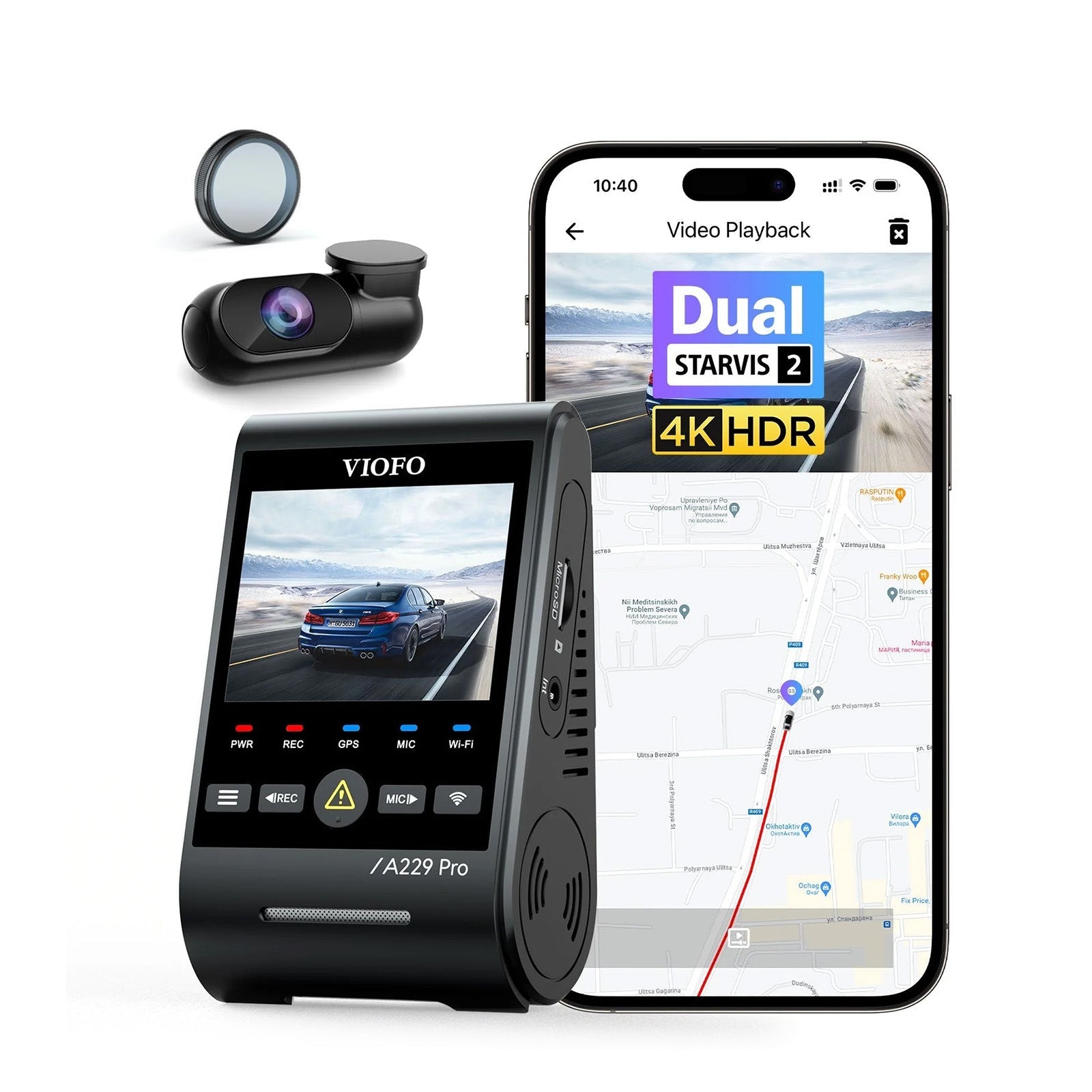
Best image quality — the sharpest plates and faces on this list
VIOFO pairs a 4K front sensor with a 2K rear on dual Sony STARVIS 2 sensors, and the difference shows up specifically in low light and high-contrast scenes — oncoming headlights, dusk on an unlit lane, the situations that actually matter for a plate being readable afterwards. Quad-mode GPS, 24-hour parking mode with a heat-tolerant supercapacitor rather than a battery, and voice control round out a genuinely professional spec sheet.
For
- 4K front + 2K rear on dual STARVIS 2 sensors
- Supercapacitor rather than a battery — more heat-tolerant in a hot cab
- Expandable to a third, cabin-facing channel
Against
- Costs more than the Nextbase pick for a marginal everyday gain
- App and menu system takes longer to learn than Nextbase’s
Typically £230–£300
Check price on AmazonVantrue N4 Pro

Best 3-channel — front, cabin and rear in one unit
The N4 Pro adds a genuinely useful third lens to the usual front-and-rear pair: a cabin-facing camera covering the front seats and the load area behind them. For a van that occasionally carries a colleague, a client wanting to see inside a loft themselves, or simply a cargo area worth having on record, that third angle is the practical reason to step up from a two-channel unit rather than a marketing add-on.
For
- Genuine three-way coverage — front, cabin and rear
- 4K front resolution with STARVIS 2 night vision
- 24-hour parking mode as standard
Against
- Three camera cables to route rather than one
- Cabin footage only useful if the mount angle is set up properly at install
Typically £200–£260
Check price on AmazonThinkware Q200

Best parking-mode protection — built around the van being left alone
Thinkware builds its reputation specifically around parking surveillance, and the Q200 carries that through with three separate parking modes: buffered event detection, time-lapse for long stays in busy areas, and an energy-saving mode that steps in automatically once battery power starts to run low, so the van’s starter battery isn’t left at risk after a long day parked on site. A 2K QHD front image and continuous battery-health monitoring round it out.
For
- Three distinct parking-mode options rather than just one
- Automatic energy-saving mode protects the starter battery
- Continuous battery-voltage monitoring
Against
- Front-only spec sheet is less flashy than the 4K rivals here
- Full functionality depends on the hardwire kit being properly fitted
Typically £160–£210
Check price on AmazonGarmin Dash Cam 67W
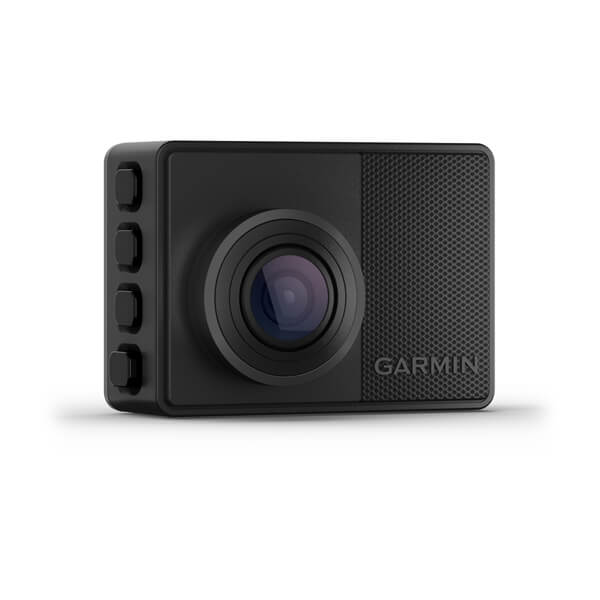
Best compact single-channel — smallest thing on this list
Garmin’s 67W is barely bigger than a matchbox, sits almost invisibly behind the mirror, and still packs a genuinely wide 180-degree lens and built-in GPS. It’s a front-only camera, so it’s not the pick for full van coverage, but for a straightforward, low-fuss record of the drive itself — and a GPS log of exactly where the van has been — it’s hard to beat for how little it intrudes on the cab.
For
- Genuinely compact — barely noticeable on the windscreen
- Wide 180-degree lens and built-in GPS
- Simple voice-control operation
Against
- Front-only, no rear or cabin coverage
- Parking mode needs Garmin’s separate hardwire accessory to work properly
Typically £160–£220
Check price on AmazonRedTiger F7NP
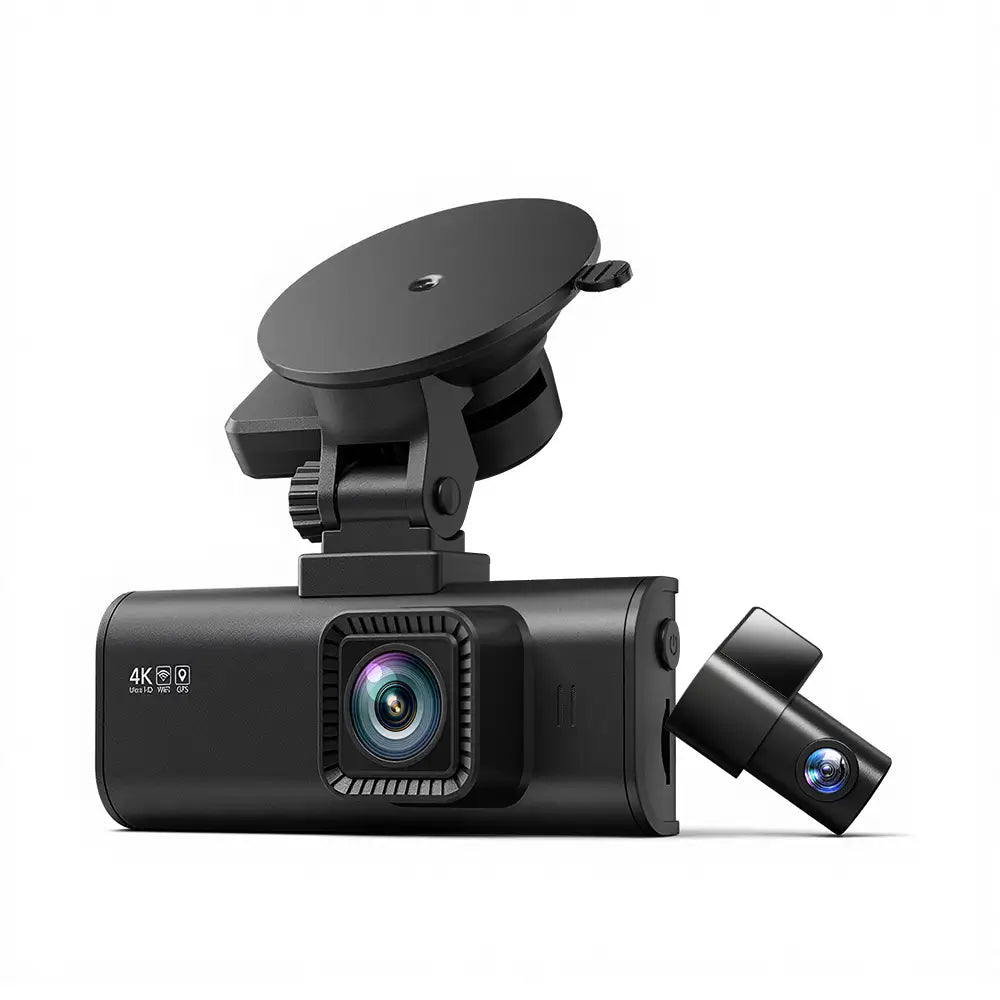
Best on a budget — front and rear 4K for a fraction of the premium picks
RedTiger’s F7NP covers the essentials at a genuinely low price: a 4K front camera, a 1080p rear, built-in GPS and Wi-Fi, and a bundled memory card so it’s ready to fit straight out of the box. It won’t match the low-light clarity of the STARVIS-sensor picks above, and the app and build quality feel exactly as budget as the price suggests, but as a first dash cam for a van that’s never had one, or a spare for a second vehicle, there’s little to lose at this price.
For
- 4K front and 1080p rear at a genuinely low price
- Memory card included in the box
- Built-in GPS and Wi-Fi
Against
- Night vision noticeably weaker than the STARVIS-sensor picks
- Hardwire kit for real parking-mode protection often sold separately
Typically £70–£100
Check price on AmazonWhat actually matters — and what doesn’t
Hardwiring isn’t optional if parking protection is the point. A dash cam running off a 12V socket switches off with the engine, which is exactly when a van parked outside an unfamiliar address is most at risk. A hardwire kit is typically £15–£25 on top of the camera and either a straightforward DIY job behind the fuse box or a half-hour fitting job at a garage — without it, parking mode is a line on the spec sheet that never actually does anything.
4K sounds like the obvious upgrade, but the sensor matters more than the resolution. A 4K image from a weak sensor in poor light is still a soft, grainy mess once you try to zoom in on a plate after dark. Sony STARVIS and STARVIS 2 sensors, named specifically on the spec sheet, are a better guide to genuine low-light usability than the megapixel count on its own.
Mirror-style dash cams look tidy but are a hassle when it matters. Replacing the rear-view mirror with a screen is popular for the extra rear visibility it gives while driving, but reviewing and exporting footage after an incident is usually slower and fiddlier than a standard dash cam’s companion app — not the trade-off worth making if the footage itself is the whole point of owning one.
Cloud and LTE features are a genuine business tool, not just a gimmick, if they’re actually used. Being able to check the van’s parked and undisturbed from inside a loft, rather than walking back out to look, has real value on a long survey. It’s only worth paying for if the ongoing data plan gets used, though — it’s an easy feature to pay extra for once and then ignore.
A cabin-facing third channel isn’t about not trusting yourself. It’s about having a record of who else was in the vehicle, and when, if that’s ever disputed — a genuinely useful addition for a commercial vehicle that occasionally carries a colleague or a client, and largely irrelevant if the van’s always driven solo.
Questions I get asked
Do I actually need a dash cam for a work van, or is that just for personal cars? If anything, a van used for daily site visits has more to gain than an ordinary car — more time on the road, more time parked unattended outside unfamiliar addresses with tools and equipment inside, and more exposure to disputed low-speed knocks on narrow lanes and in car parks. The case for one is stronger for a working vehicle, not weaker.
Will fitting a dash cam actually reduce my van insurance premium? Some UK insurers offer a discount for a fitted dash cam, typically in the region of 10–15 per cent, though it varies by insurer and isn’t universal — worth checking with your own provider before assuming it’s automatic. Even without a discount, footage that settles a disputed claim quickly, rather than dragging on for months, has its own value.
Do I need front and rear, or is a front-only camera enough? Front-only covers the most common scenario — an incident directly ahead — and is cheaper and simpler to fit. Front-and-rear adds cover for rear-end shunts and reversing disputes, both genuinely common around vans making multiple stops in a day, and is worth the extra cost for that reason alone.
What happens to the footage if the van’s broken into while I’m on site? With a hardwired parking mode active, motion or impact detection triggers a recording automatically, buffered to include the seconds before the trigger as well as after — footage that’s then available on the memory card, and on models with Wi-Fi or cloud connectivity, potentially viewable on a phone before you've even walked back to the van.
A dash cam is one small part of a wider picture of keeping a work van and everything in it secure and accounted for — if you’re logging site visits and photos digitally as well, it’s worth pairing with one of the rugged tablets that can survive being carried between the van and a damp loft all day. The practice covers building surveys, EPCs and PAS 2035 retrofit assessments across the South East, plenty of it reached by van down exactly the sort of lanes this guide has in mind — get in touch. And for more of what actually goes in the van, there are more field-kit guides.
Small print. This guide is general information, not insurance or legal advice; whether a dash cam affects a specific policy or claim depends on the insurer and the circumstances, and this guide doesn’t replace checking directly with your provider. Prices are indicative, move constantly and were checked at the time of writing; the linked page always shows the current price. As an Amazon Associate I earn from qualifying purchases.